

You paste your blog post URL into ChatGPT and type: “make this rank in AI Overviews.” Back comes a list. Add schema. Improve E-E-A-T. Build topical authority. All true, none of it something you can do before lunch. So you close the tab and go back to checking rankings that have not actually moved.
The real problem is that the prompt never told the AI which page, which search, or what the answer is supposed to look like. As of September 2026, Google is also changing how much of some AI Overviews appears before the blue links.
What Google actually changed
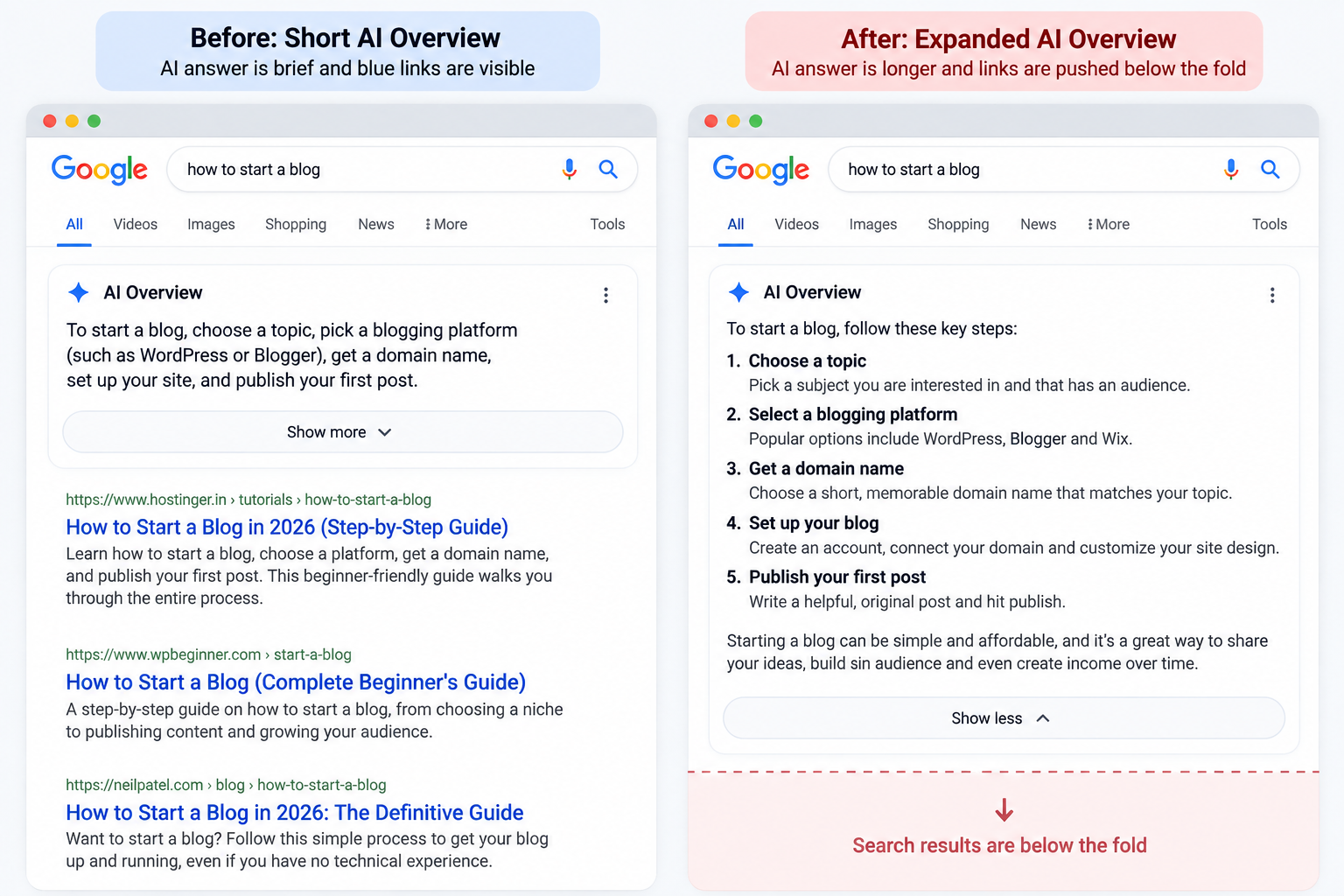
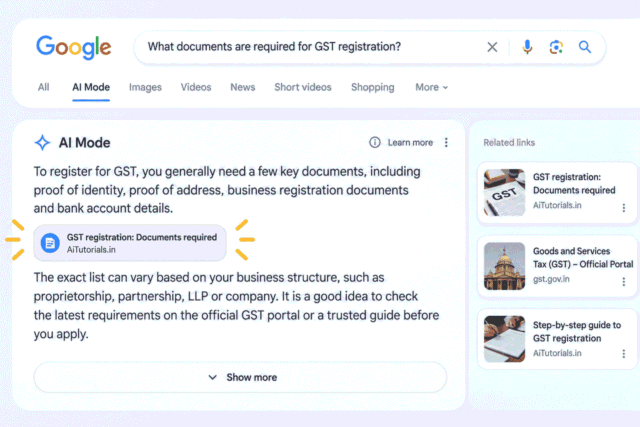
Google has confirmed that, for some queries, AI Overviews may automatically expand into the full response instead of waiting for the reader to select “Show more.” Search Engine Land reported the change on August 28, 2026, and quoted Google saying, “For some queries, AI Overviews may dynamically expand for topics where our systems determine it’s most useful for people.” Google also said the expansion is cancelled if the user has already started scrolling.
This is still a behaviour being tested, not a rule that applies to every search. Google has not said what share of queries it affects.
Search Engine Land’s report on Google’s dynamic AI Overview expansion covers the August 28 change, Google’s statement and the fact that Google has not disclosed how many queries are affected.
Why a number 1 ranking can lose clicks without losing its position
A number 1 result can lose visibility when more of the screen is occupied by the AI Overview above it, even if the result remains number 1 in the organic listings.
Think about the page as a physical screen rather than a ranking report. Before expansion, a searcher may see the AI Overview and then the first few organic results without much scrolling. After expansion, the same searcher may need to scroll farther to reach those results.
There is an important limit here: no public study has measured the click effect of this specific auto-expansion change, and Google has not published what share of searches it affects. So nobody can honestly attach a percentage drop in clicks to the change.
The useful response is to work on the part you control. If Google is showing a long answer before the organic results, make the answer on your own page easier to identify. Put the direct response near the top instead of making the reader work through a long introduction first.
Google’s current guidance says the same foundational SEO practices apply to AI Overviews and AI Mode. There are no additional requirements or special optimisations required to appear in them.
What is confirmed and what nobody knows yet
The behaviour is confirmed, but the size and long-term effect of the change are not.
| Confirmed | Not disclosed |
|---|---|
| Some AI Overviews may expand automatically. | Which exact queries trigger the expansion. |
| Google says the behaviour applies to some queries. | What share of searches is affected. |
| Expansion is cancelled if the reader has already started scrolling. | Whether the behaviour is permanent or how widely it will expand. |
| The expansion can push the core search results farther down the page. | What specific effect it has on publisher traffic. |
That last column is where a lot of SEO commentary gets ahead of the evidence. Treat the auto-expansion as a real change in the search interface, but do not turn an unmeasured traffic effect into a made-up number.
3 things to check on your own page this week
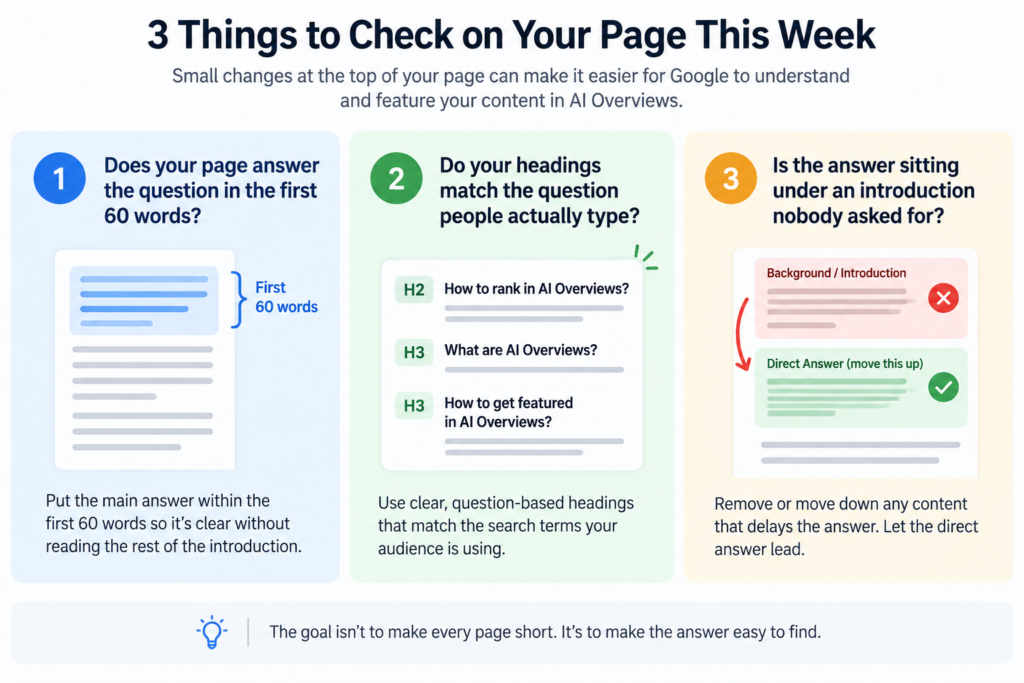
The fastest way to respond is to check whether the page gives a clear answer near the top, matches the searcher’s wording, and avoids delaying the useful part.
Does your page answer the question in the first 60 words
Rewrite the opening so the main answer appears within roughly the first 60 words.
The 40 to 60 word range is a practical writing rule, not a Google requirement. The test is simple: could someone read the first few sentences and understand the answer without needing the rest of the introduction?
Do your headings match the question people actually type
Use headings that state the questions your page is answering, rather than headings that describe your writing process.
This is also a useful check to repeat across a group of existing pages. If you expect to do this regularly, you can turn the process into a repeatable workflow with Claude Skills Explained Part 1.
Is the answer sitting under an introduction nobody asked for
Move the answer above the background when the background delays the response.
Read your first 100 words and mark every sentence that does not help answer the target query. Move useful context lower on the page and let the direct answer lead. The goal is not to make every page short. It is to make the answer easy to find.
The prompt that fixes a buried answer
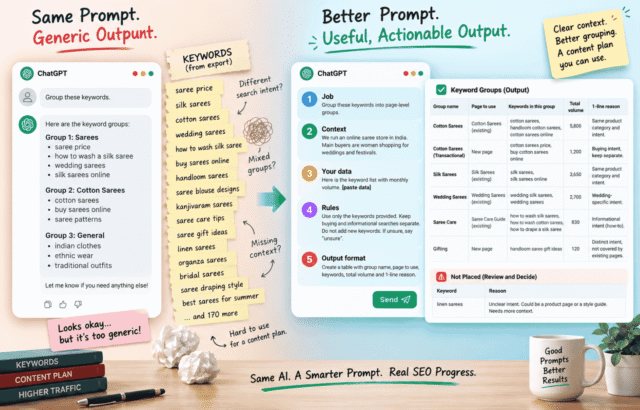
A useful AI rewrite prompt tells the model the exact search, the current opening, the reader, and the output you want.
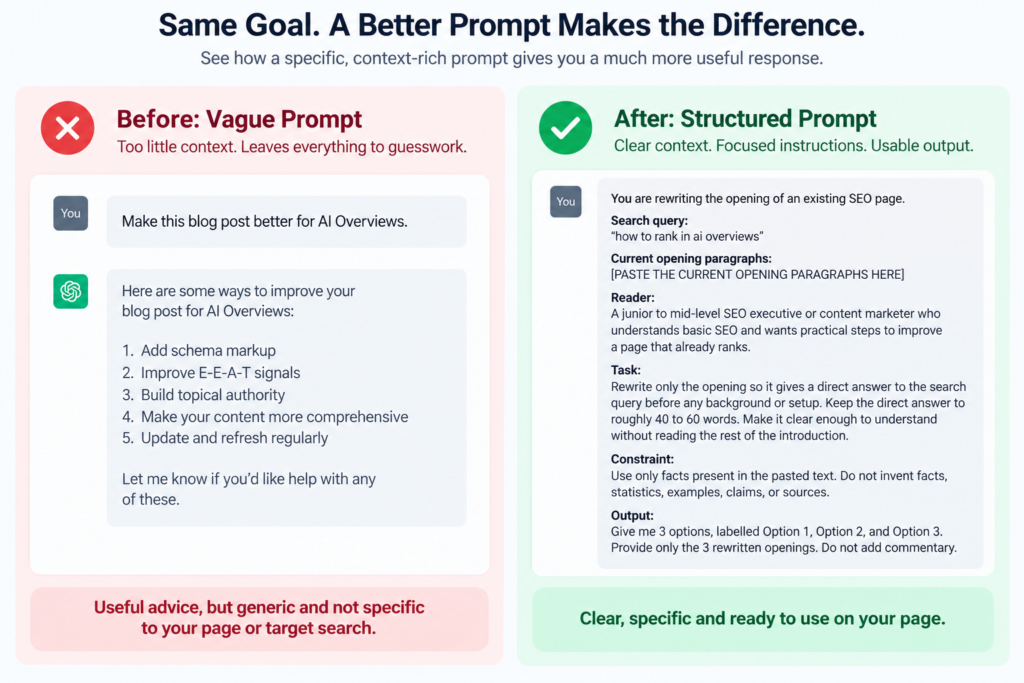
The vague version most beginners write is:
Make this blog post better for AI Overviews.That prompt leaves too much for the AI to guess. It has no exact query, no audience, no current copy to work from, and no standard for what “better” means.
A stronger version is:
You are rewriting the opening of an existing SEO page.
Search query:
"how to rank in ai overviews"
Current opening paragraphs:
[PASTE THE CURRENT OPENING PARAGRAPHS HERE]
Reader:
A junior to mid-level SEO executive or content marketer who understands basic SEO and wants practical steps to improve a page that already ranks.
Task:
Rewrite only the opening so it gives a direct answer to the search query before any background or setup. Keep the direct answer to roughly 40 to 60 words. Make it clear enough to understand without reading the rest of the introduction.
Constraint:
Use only facts present in the pasted opening paragraphs. Do not invent facts, statistics, examples, claims, or sources. Do not add information that is not present in the pasted text.
Output:
Give me 3 options, labelled Option 1, Option 2, and Option 3. Provide only the 3 rewritten openings. Do not add commentary.
For a deeper workflow around using Claude for SEO writing, see the Claude SEO Writing Playbook.
You still need to paste the actual opening from the page you are editing. Do not replace it with a made-up example just to get a cleaner AI response. Run the prompt in Claude or ChatGPT with the real text, check the 3 options against the page, and keep the version that answers the query most clearly.
What to ignore
You do not need a special AI Overview optimisation system to make a page eligible for Google AI features.
Google’s current documentation says existing SEO best practices remain relevant and that there are no additional requirements or special optimisations needed to appear in AI Overviews or AI Mode. A page still needs to be indexed and eligible to appear in Google Search with a snippet.
Google’s guidance on AI features and your website also explains that relevant links are surfaced from sites that meet the normal Search requirements and follow Search policies.
That makes the panic cycle easier to avoid. You do not need to rebuild every page because AI Overviews changed. Start with the page already ranking and make its answer easier to find.
Google’s guidance also emphasises useful, original content for people and a good page experience. Its broader advice is to focus on content that fulfils the searcher’s need, rather than chasing a special format for AI search. See Google’s guidance on succeeding in AI search for the full list.
Google also says that, as of August 31, 2026, Search Console has generative AI performance reports that show impressions from AI features. That is useful for measurement, but it does not tell you what to rewrite on the page itself. The key point here is to avoid chasing shortcuts or made-up requirements.
Frequently Asked Questions
How to get cited in AI Overviews?
Getting cited means having your page used as a supporting source in the AI Overview, while being mentioned can simply mean your brand or page is referred to without receiving the same source link. Google says AI features surface relevant links to help people explore supporting information, but it does not publish a guaranteed formula for earning one.
How do you rank on AI?
To rank on AI, create useful, original information that clearly answers the questions your audience asks, then make sure the content can be found and indexed by the relevant AI search system. For Google, the same foundational SEO practices continue to apply to AI Overviews and AI Mode.
How to earn AI citations?
You earn AI citations by publishing information that an AI search system can use as a useful source for an answer, with clear and relevant content that satisfies the underlying search need. There is no published Google rule that guarantees a citation for a particular page.
Pick 1 page that already ranks for an important query. Run the improved prompt on its real opening, choose the clearest rewrite, and publish it. Check the page again in 2 weeks.
If you find yourself repeating this across many pages, Installing, Editing and Sharing Claude Skills Part 2 can help turn the same check into a reusable workflow.
Leave a Reply