

It is Wednesday, and 3 AI SEO tools are still sitting open in your browser. One free trial expires Thursday. You have barely used any of them because each one needs time to learn, and you are still unsure which problem it actually solves. Meanwhile, the real task on your list, finding out why last month’s post is getting impressions but not clicks, is untouched.
Most AI SEO tools roundups ask, “Which tool is best?” Start with a better question: “Which of my weekly tasks actually needs a tool?”
Start with the job, not the tool
Pick an SEO tool by the task you repeat, not by the number of features listed on its pricing page.
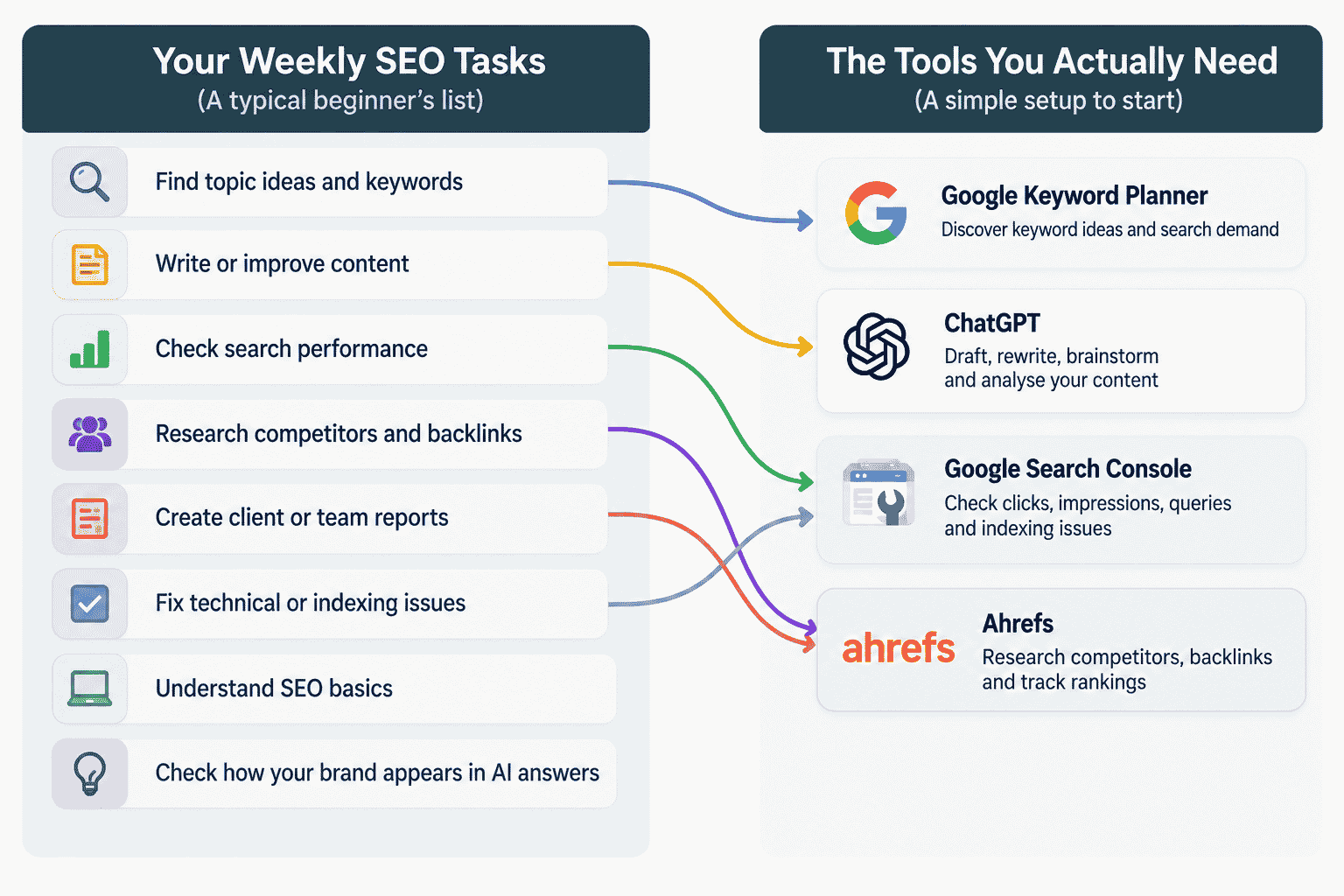
For a junior or mid-level SEO executive, a content marketer, or a freelancer, the week usually contains a small set of repeated jobs: finding topics and search terms, writing or improving content, checking search performance, and reporting what happened.
Write those jobs down before opening another trial. Someone spending 2 hours a week checking search performance has a different need from someone managing 20 client websites.
A simple setup can cover much of early SEO work: Google’s own tools for search data and keyword demand, plus a general AI assistant for drafting and analysis. Pay when you can point to a gap the free setup cannot fill.
What the free Google tools already cover
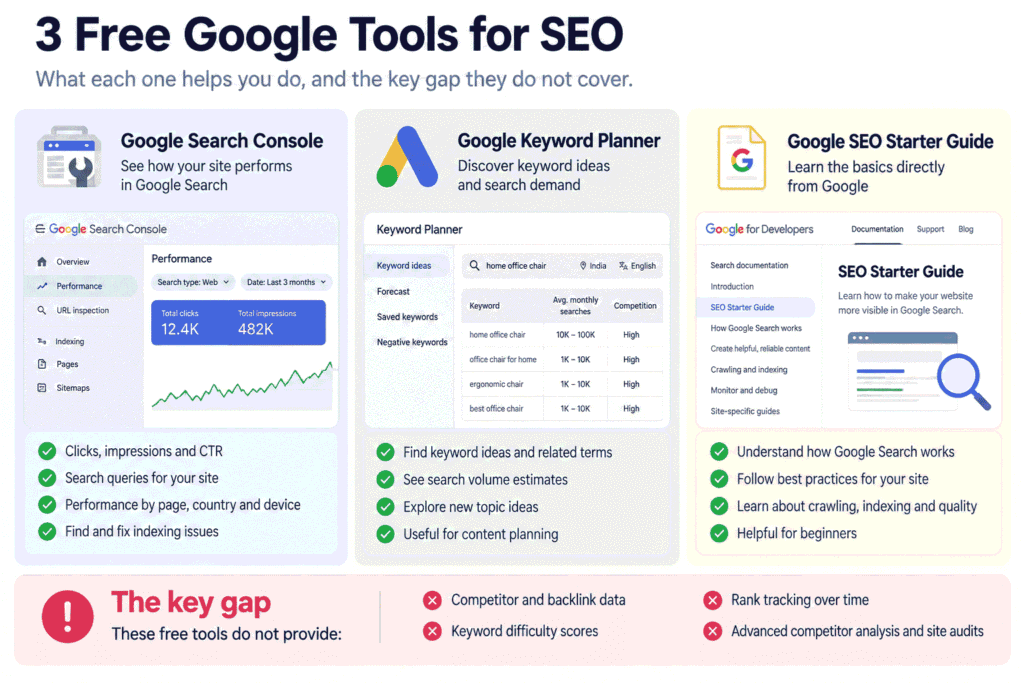
Google’s free tools cover 3 important parts of early SEO work: understanding your existing search performance, researching keyword demand, and learning the search basics.
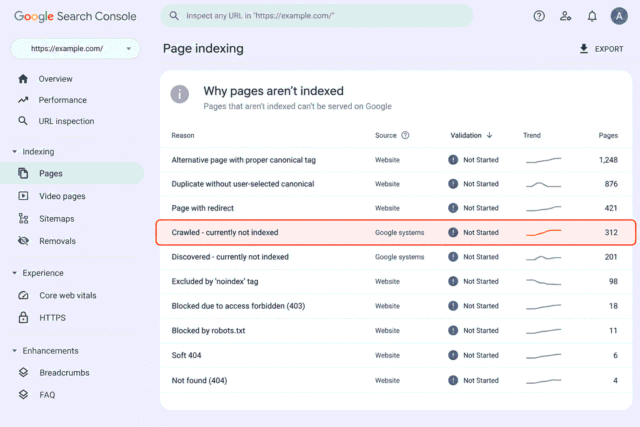
Google Search Console is the place to check what is already happening with your site in Google Search. Its Performance report shows clicks, impressions, click-through rate and the search queries associated with your site. You can also look at individual pages and compare different periods. Its Page indexing report shows which pages Google can find and index and flags indexing problems. Google’s Search Console documentation explains the report.
For a question such as “Why is this page not getting the search traffic I expected?”, start here. You may find unexpected queries or many impressions with few clicks. That gives you something concrete to investigate.
Google Keyword Planner is useful for discovering related keywords and viewing estimates of the searches they receive. It was built for Google Ads, so treat the data as keyword research input rather than as a complete SEO difficulty report.
Google’s SEO documentation gives you the basic guidance behind Search. The Google SEO Starter Guide is a useful reference when you want to check a basic principle.
The gap is competitor and backlink research, plus third-party difficulty scores found in commercial SEO software.
You can also see how AI search traffic can be checked in Search Console.
Where a general AI assistant is the right tool
A general AI assistant is useful when the SEO task is mainly about thinking, drafting, sorting, rewriting or turning messy information into a usable first version.
ChatGPT, Claude and Gemini can all sit in this part of your workflow. The assistant works from what you give it, so do not treat it as a live database of your queries, competitor backlinks or current search volume.
Use Search Console for your site’s search data and Keyword Planner for keyword ideas and search estimates. Then give the relevant information to your AI assistant.
For example, paste queries and page data from Search Console and ask the assistant to group them by search intent, flag possible topic mismatches, or turn the findings into an action list. You are asking it to work on your evidence, not invent the evidence.
ChatGPT can help with writing, brainstorming, summarising and organising work. Our guide to using ChatGPT for SEO without getting generic output goes deeper into using context well.
For the wider workflow, our guide to what changes in an SEO workflow with LLMs shows where an assistant fits.
The boundary matters. If you ask, “What is my ranking for this keyword?”, an AI assistant may give you a plausible answer without having the live data required to verify it. Give it the ranking data yourself, and the task changes. Now it can help you interpret the information without pretending to be the source.
When a paid SEO tool earns its price
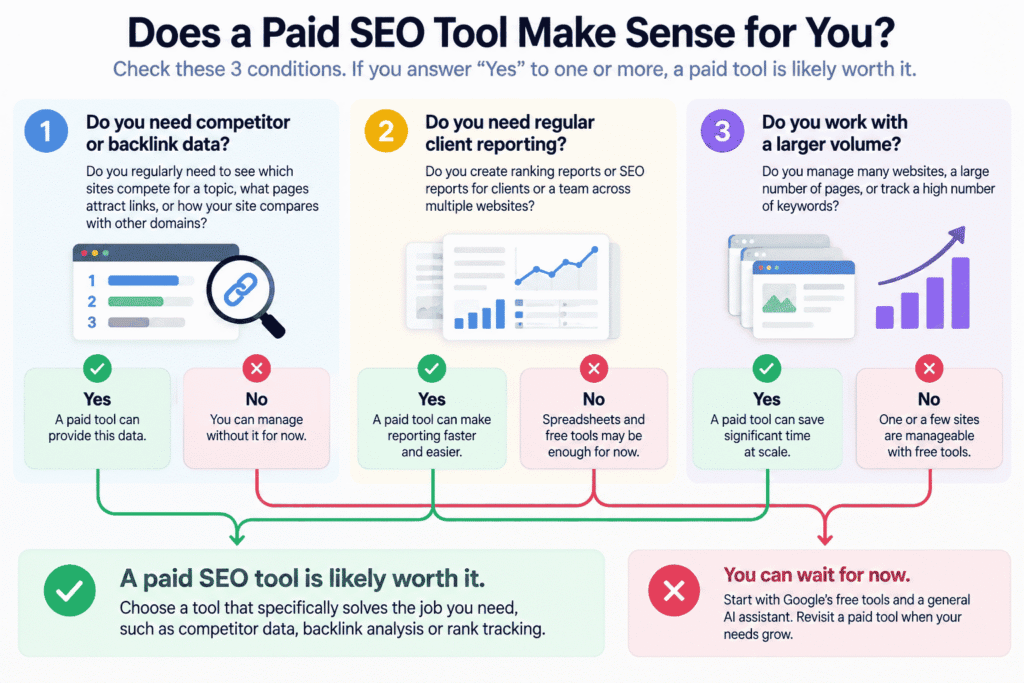
A paid SEO tool earns its subscription when it fills a specific gap that your free setup cannot handle at the volume or depth your work requires.
The first trigger is competitor and backlink data. If you regularly need to see which sites compete for a topic, what pages attract links, or how your site compares with other domains, a specialist SEO platform can provide data that Google’s free tools do not provide.
The second trigger is client reporting. If clients expect regular ranking reports across several websites, a platform that stores and reports ranking data can make the work more practical.
The third trigger is volume. One website and 10 important queries are manageable by hand. A much larger workload changes the calculation.
For a beginner, start by asking whether you need competitor or backlink data.
Ahrefs is one example of a paid SEO platform built around this wider data set. Its current plans include keyword, competitor, backlink, site audit and rank tracking capabilities, with different limits by plan. As of October 2026, its pricing page lists a Starter plan at $29 per month and a Lite plan at $129 per month. Check the vendor page before buying because pricing and limits can change.
Check Ahrefs’ current pricing and plan limits before starting a subscription. The point is not that you need Ahrefs. The point is that you should be able to name the job you are paying it to do.
Do not buy a platform because a roundup calls it one of the best AI SEO tools. Finish this sentence first: “I need this because I currently spend too much time doing ______, and this platform gives me the data or workflow I am missing.”
What to skip for now
AI visibility and AI mention tracking can be useful, but the category is still early for many beginners.
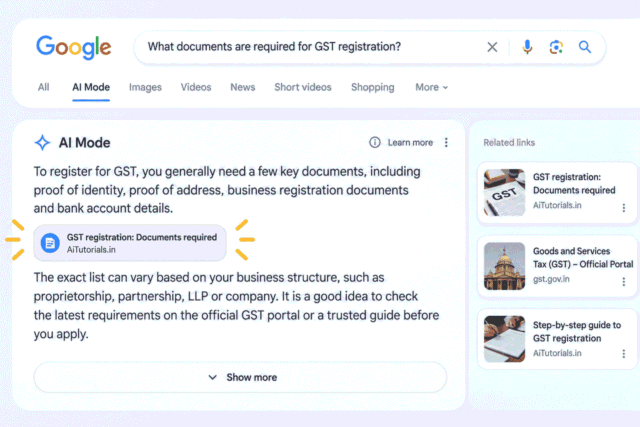
If someone is not yet being asked to report how often a brand or page appears in AI answers, there is a simple manual starting point: take your 10 most important queries and check the AI answers yourself. Record what you see, the date, and any sources that are cited.
That gives you a baseline before you pay for tracking, and helps you define what you actually want to measure.
Google’s current guidance says its generative AI search features still rely on core Search ranking and quality systems, and its guidance continues to emphasise normal SEO best practices. Google’s guide to optimising for generative AI features also explains that you do not need a separate set of secret tactics just because AI features exist.
If AI visibility reporting is not a real requirement yet, spend your time understanding your existing search data first.
Try it before you buy anything
The fastest way to judge a paid SEO tool is to compare it with the work you actually did recently, not with the feature list on its website.
Start with the vague prompt a beginner might naturally type:
Is [tool] worth it for SEO?That question gives the AI almost nothing to compare, so the answer is likely to be a general feature summary.
Instead, give it your last 2 weeks of actual SEO work and the price you checked yourself:
I am deciding whether to pay for [tool] for my SEO work.
Here are the 5 SEO tasks I did in the last 2 weeks:
1. [Task]
 Time spent: [rough time]
 What I currently use: [tool, spreadsheet, nothing, or by hand]
2. [Task]
 Time spent: [rough time]
 What I currently use: [tool, spreadsheet, nothing, or by hand]
3. [Task]
 Time spent: [rough time]
 What I currently use: [tool, spreadsheet, nothing, or by hand]
4. [Task]
 Time spent: [rough time]
 What I currently use: [tool, spreadsheet, nothing, or by hand]
5. [Task]
 Time spent: [rough time]
 What I currently use: [tool, spreadsheet, nothing, or by hand]
The monthly price I checked on the vendor's website is: [price and currency]
For each task, tell me:
- whether [tool] would replace the current approach
- whether it would speed up the task
- whether it would make no meaningful difference
- which parts of the task [tool] does not touch at all
Return the answer as a table with these columns:
Task | Verdict | 1 line of reasoning
Do not assume a feature or current price that I have not provided. If your knowledge of the tool may be outdated, tell me which feature claims I should verify on the vendor's website.
The second prompt works better because it turns a product question into a comparison against your own week. The AI now has the task, time spent, current method and price, so it can help you think through the subscription rather than give another feature summary.
The AI may not know the tool’s current features or price, so supply the price yourself and verify feature claims on the vendor’s website. Let AI help with the thinking, but do not ask it to invent live data.
Frequently Asked Questions
Which AI tools are best for SEO?
The right tool depends on the SEO task you need to do repeatedly. Start with Google’s own search data, a general AI assistant for drafting and analysis, and add paid SEO software when you need competitor, backlink, ranking or higher-volume data.
Can SEO be done by AI?
AI can support many SEO tasks, but it does not remove the need for real search data, website information and human checking. It is most useful when you give it the evidence and ask it to help with a defined piece of work.
Can ChatGPT do SEO?
ChatGPT can help with SEO work such as drafting, rewriting, brainstorming and analysing information you provide. It should not be treated as a substitute for live search performance or keyword data unless that data is supplied to it.
What are top 3 AI tools?
There is no useful set of 3 tools without knowing the job you need them to do. A better starting point is to list your repeated SEO tasks and choose only the tools that fill a clear gap in those tasks.
Today, write down the 5 SEO tasks you repeated in the last 2 weeks. Match tools only to those tasks, then cancel or ignore the rest. If you are considering an AI SEO course, see what you actually need to learn first.


Leave a Reply